Connect a Lovable project to GitHub, point a pod at the repo, and auto-deploy your full-stack app to a real Linux server on a flat monthly price.
Lovable builds the app; InstaPods runs it. The flow is three steps: connect your Lovable project to GitHub, point a pod at the repo, and let auto-deploy take over. Every change you make in Lovable pushes to GitHub, and InstaPods rebuilds and redeploys within a minute - on a real Linux server with HTTPS, SSH access, an optional managed database, and a flat monthly price instead of usage-metered hosting.
Lovable now meters both building and running your app out of one credit balance, including a “run credits” category that bills your deployed app’s database, storage, and network usage continuously. If that is what pushed you here, you can also stop building inside Lovable and build with a coding agent in your browser on your own Claude or Codex subscription. The full breakdown is in Lovable run credits explained (and the fix). This guide covers the simpler case: hosting a Lovable export.
In your Lovable project, click the GitHub icon in the top bar and connect your GitHub account, then transfer the project. Lovable creates a private repo with all your source and auto-commits to it on every change from now on.This is free and needs no paid Lovable or GitHub plan.
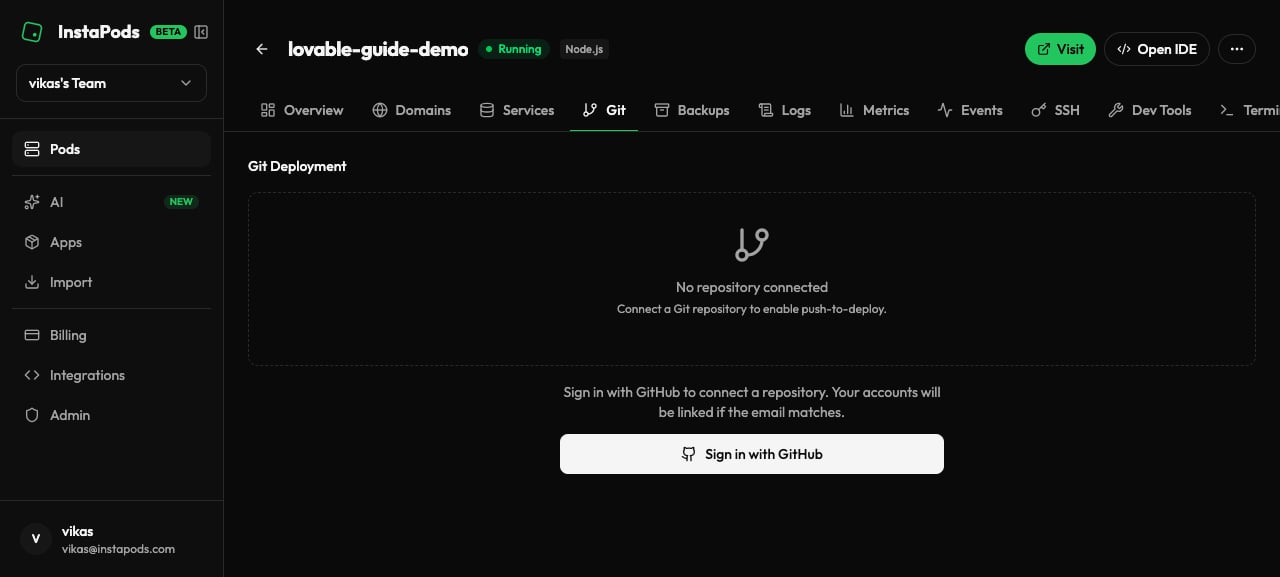
In the pod’s Git tab, click Connect GitHub Repository, install the InstaPods GitHub App (one-time per account), select the repo Lovable created, and click Deploy.InstaPods pulls the code, runs the install and build it auto-detects for a Vite app, and starts the server. Your app goes live at https://<pod-name>.<region>.instapods.app with HTTPS auto-issued.
The pod's Git tab before connecting a repository.
Prefer the terminal? One command does the same thing: instapods git connect my-app --repo https://github.com/you/your-lovable-repo --deploy. See Git deployment.
After the one-time setup you never touch deployment again. InstaPods watches the repo through the GitHub App webhook, so the loop is:
You make changes in Lovable.
Lovable commits to GitHub.
InstaPods detects the push, pulls, rebuilds, and redeploys - your live site reflects the change in about 30-60 seconds.
If a deploy fails (a build error or a missing env var), InstaPods keeps the previous version running and surfaces the failure in the dashboard, so a bad commit never takes your site down. You can also roll back to any earlier deploy instantly.
Lovable’s preview environment injects keys for Supabase, OpenAI, and other services; production needs them set on the pod. Set them from the CLI and reload:
instapods env set my-app VITE_SUPABASE_URL=https://xyz.supabase.co VITE_SUPABASE_ANON_KEY=ey...instapods pods reload my-app
Vite only exposes variables prefixed with VITE_ to client-side code. If your Supabase calls work in Lovable’s preview but fail in production, you are almost always missing a VITE_-prefixed variable. Copy the exact names from your Lovable project’s environment, prefix and all.
If your Lovable app already uses Supabase, keep it - just point the app at your Supabase URL and key via env vars (above).To run everything in one pod instead, add a managed database from the pod’s Services tab - PostgreSQL, MySQL, or Redis. Credentials are auto-generated and exposed to your app, with no per-database billing on top of the pod’s flat price. See Services.
Map any domain you own to the pod with a single CNAME and SSL is auto-issued - no certbot, no DNS challenges. Multiple domains per pod are supported. See Custom domains.
Lovable apps with heavy dependencies (chart libraries, large icon sets, complex UI kits) can exhaust the Launch plan’s build memory. Move the pod to the Build plan ($7/mo) for more build RAM - the running app is usually fine on Launch afterward.
npm install fails on peer-dependency conflicts
Set a custom build command that relaxes peer-dep resolution, then redeploy:
InstaPods auto-detects the port your app listens on, but if your server hardcodes one (Lovable’s local dev defaults to 8080), read it from the environment instead so the orchestrator can route to it:
const port = process.env.PORT || 8080;
Supabase calls fail only in production
This is an environment-variable problem, not a code one - see Environment variables above. Check the pod’s variables against what Lovable’s preview had, including the VITE_ prefix.